





Carveco Release Notes
Here at Carveco, we take the Continuous Delivery approach to software development. This means that we aim to develop and release regular updates, enhancements, new features and bug fixes as soon as they’re tested and ready – for every Carveco product.
All our work on each software update we release is outlined below.



Carveco V1.69 – Release Notes
New Features
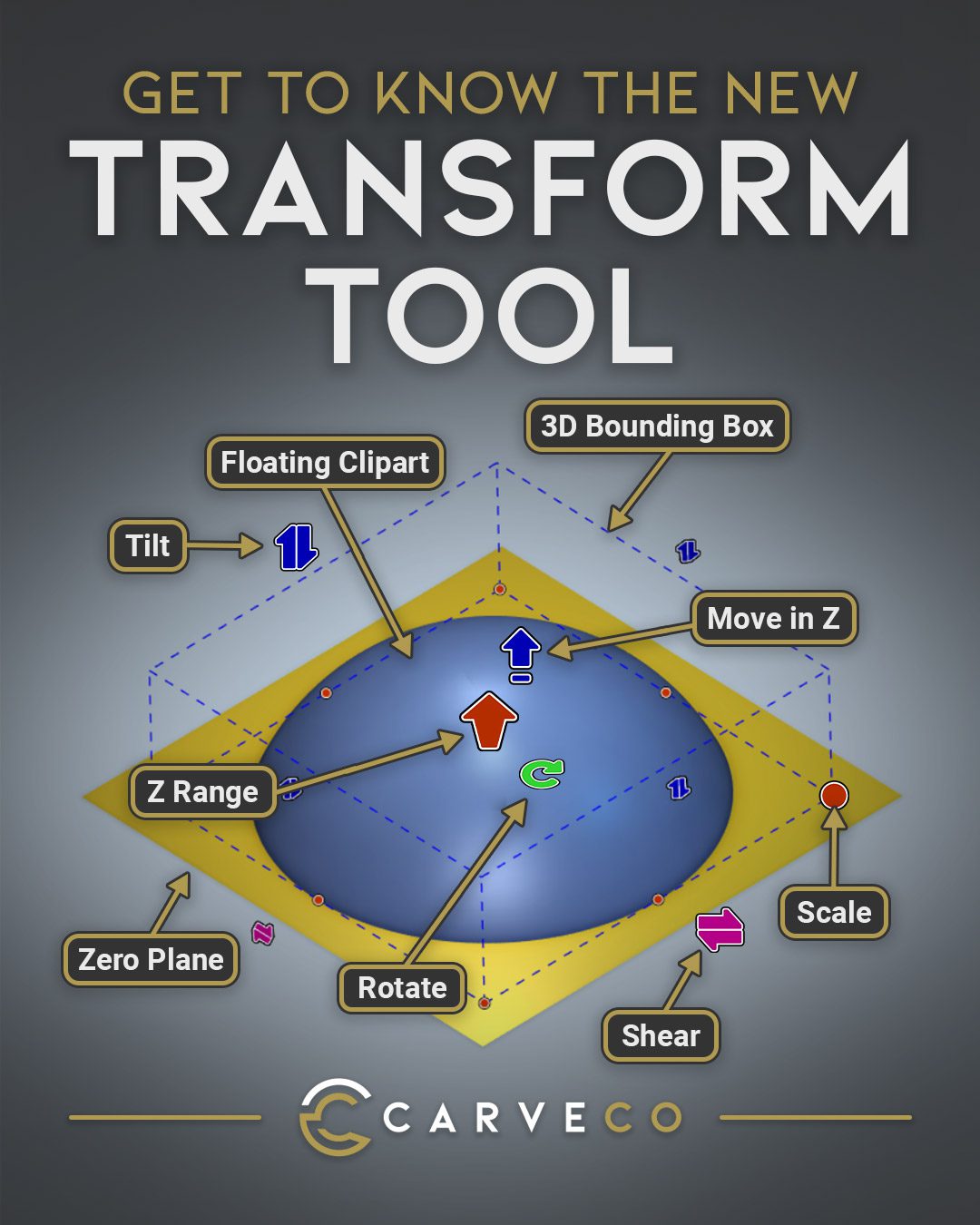
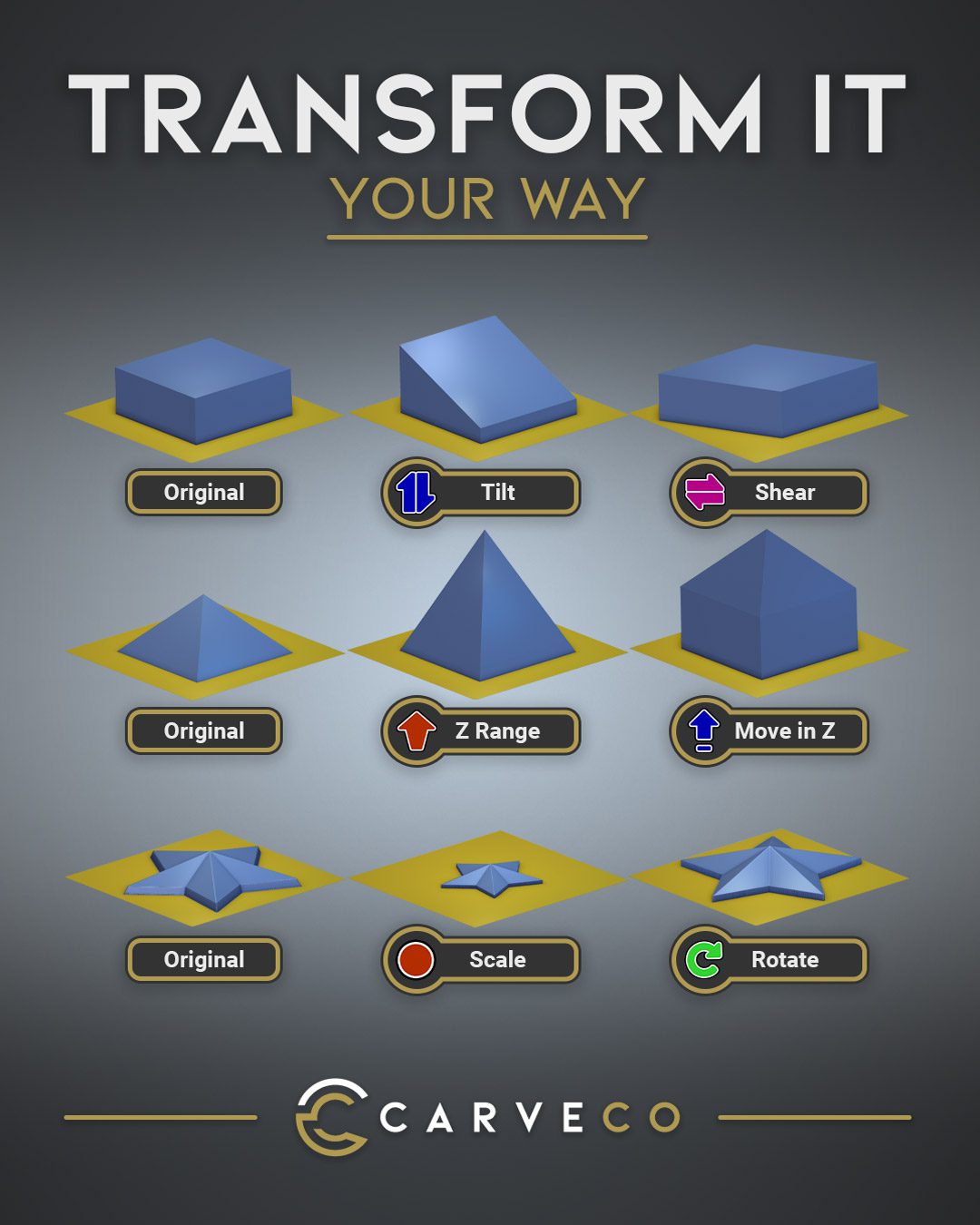
- Improved Transform Tool: New transform controls give you greater flexibility when positioning and manipulating relief clipart. You can now move clipart in the Z direction and tilt it around the X and Y axes using intuitive controls directly in the 3D view, alongside precise value entry in the Transform dialog.
- Reduce First Line Feed Rate: Raster strategies in Machine Relief and 2D Area Clearance toolpaths can now use a slower feed rate for the first machining line after each plunge. The first line has no stepover from a previous machining pass, so the tool is more heavily engaged in the material. Using a slower feed rate for this line allows subsequent lines to be machined at a higher feed rate, helping to reduce overall machining time.
Fixes
- Intel UHD Graphics: Fixed an issue affecting Intel UHD graphics cards with the latest drivers that could cause problems in the 3D view, including selecting and manipulating vectors, as well as launching the Generate with AI wizard.
- Application Stability: Fixed various issues that could lead to crashes when opening certain models and applying text transformations.
(Build: 2026-10-05-1429-6c02e4c)
How do i download software updates?
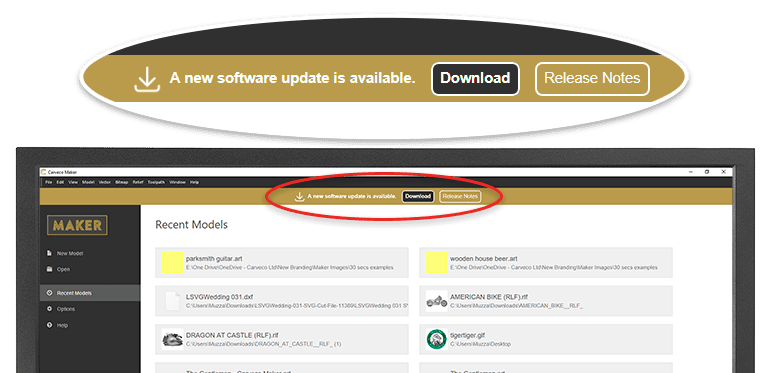
From Carveco 1.16 onwards (all products) we added the ability for the software to notify users of any updates that become available. Please click the link from the start page of your software to download any new releases.
Alternatively, any previous Carveco emails that contain a software download link – for example a previous update notification – will automatically direct you to the latest version available hosted on sendowl.com (our software fulfilment provider).
I’ve missed a few updates… Do I need to go back and install each one?
Don’t worry – regardless of whether you’re upgrading from a much older version, or the previous release, you only need to install the latest update to ensure your Carveco product is up to date. Additionally, your unique SendOwl download link (even from previous emails) will always show you the most recent Carveco update available.
