




Purchase Carveco On Subscription
A monthly Carveco subscription gives you the power to design and manufacture 3D models or 3D-sculpted relief artwork faster than you ever thought possible, all in one unique, flexibly-licensed software package.
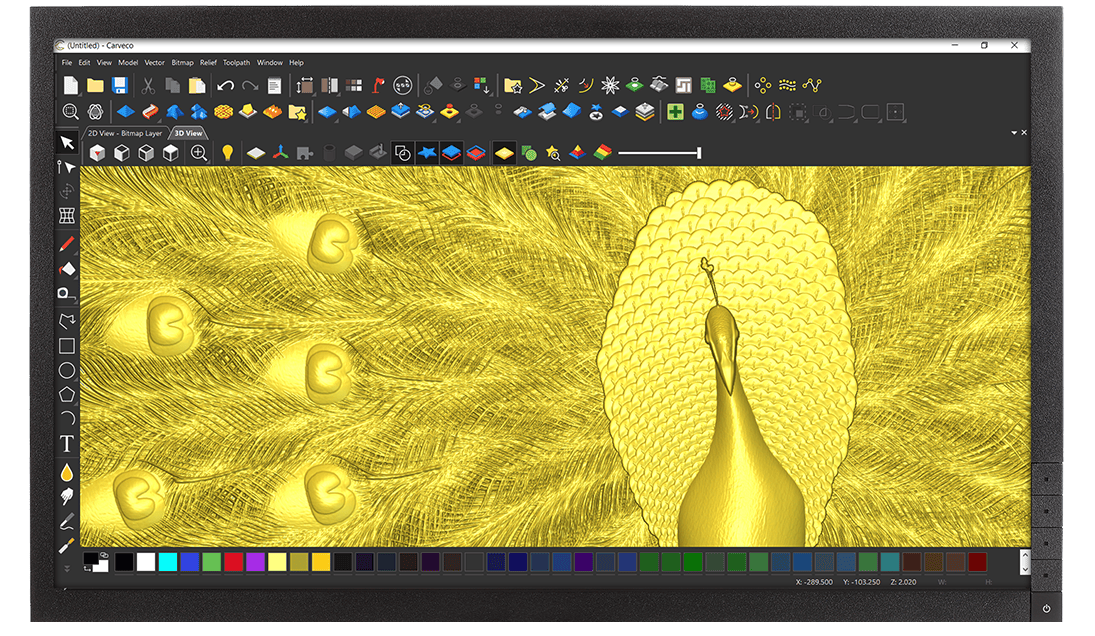
Carveco®
Monthly Subscription
$250 p/m
Purchase a flexible monthly Carveco subscription with no minimum term; cancel at any time.
The Benefits of a Carveco Subscription
More Information & FAQ
We understand that some customers may only need Carveco software for specific CNC projects or use it infrequently. However, at this time, we do not offer an option to pause or suspend an active Carveco subscription.
If you foresee a period where you won’t need access to Carveco, we recommend canceling your subscription before the next billing cycle and resubscribing when you’re ready to use it again. This ensures you have control over your subscription without incurring charges during periods of inactivity.
Unfortunately, due to the complexities of our licensing server, we don’t have the capability to renew a lapsed subscription. If your Carveco subscription has lapsed and you wish to rejoin, please place a new subscription order.
Following purchase, you will be given a new licence key to enter into the software when requested.
You can install your Carveco software on multiple computers and transfer your license between them. For more information about concurrent license limits, please refer to this FAQ article.
Carveco (Carveco Maker, Carveco Maker Plus, Carveco Pro) will need to be connected to the internet when you activate your subscription to allow for communication between your software and our licensing server. Afterwards, the software can run without an active internet connection for up to 21 days. The software will then need to reconnect to our licensing server, and check that your subscription is still active.
For most internet-connected customers with an active subscription, Carveco will seamlessly re-license itself in the background. But if your software is having trouble accessing our License server, the software will let you know. If you have not used your software for several months, you may be required to re-activate the software when next used.
For Online store customers
In order to cancel your subscription, you will first need to log in to your account as outlined in the ‘How do I manage my Subscription‘ FAQ post.
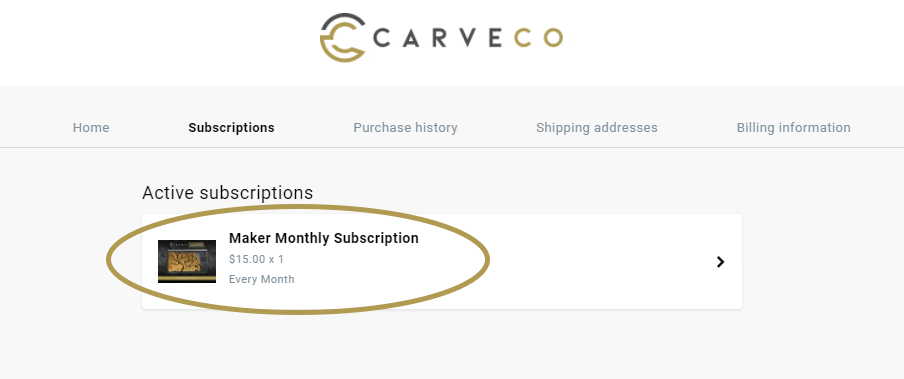
After successfully accessing the Subscription management site, Click on the Subscriptions link in the top menu. This will show you all your Active and Inactive Carveco Subscriptions.
Click on the Carveco product (Maker Monthly Subscription for example) under the Active Subscriptions heading (see image below).
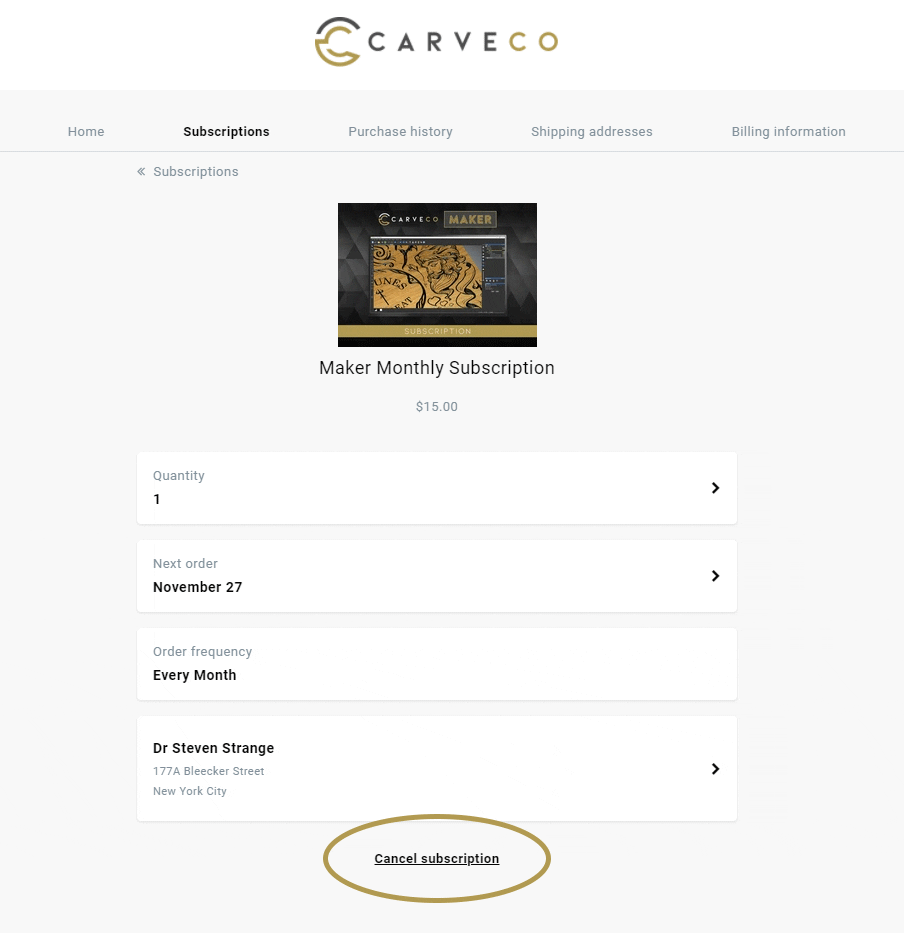
The last item on the page will be a Cancel Subscription link (see image below). Click this link and you will then be guided through the cancellation process that should only take a few clicks.
Please follow the steps through and your Carveco subscription order will be Cancelled.
In order to upgrade/downgrade/change to a different Carveco product, please follow the steps below:
- Cancel your subscription to your current Carveco software product, by completing the steps outlined in the following posts:
- Deactivate your your current Carveco installation from within the software by completing the following steps:
- Open your Carveco software.
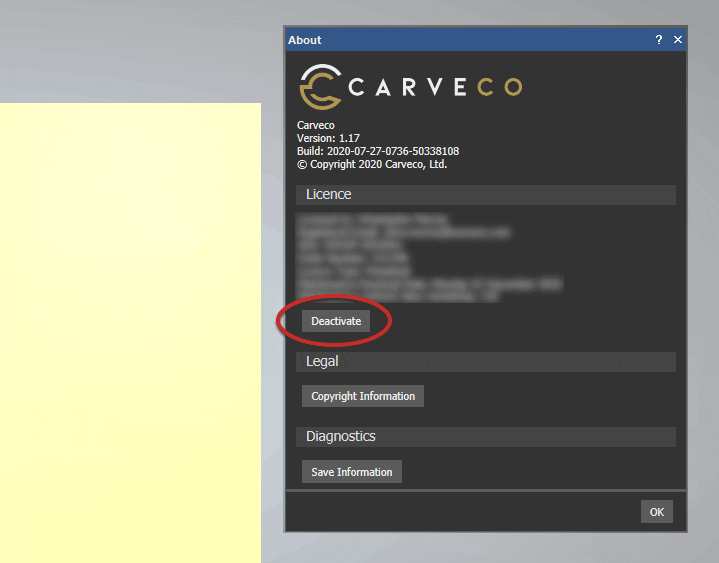
- Select the ‘Help‘ > ‘About Carveco‘ menu item to display the about box.
- Click the ‘Deactivate‘ button (see image) under your license information. This will allow you to enter a new licence key into the software.
- Purchase a new subscription to the product you wish to change to and enter you new license key into the software when prompted.
You can easily manage your Carveco Subscription two ways:
1. Via Your Unique Email Link
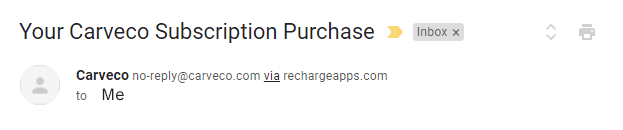
Upon purchasing a Carveco product subscription, look out for an email with the Subject ‘Your Carveco Subscription Purchase‘ from no-reply@carveco.com (see image below).
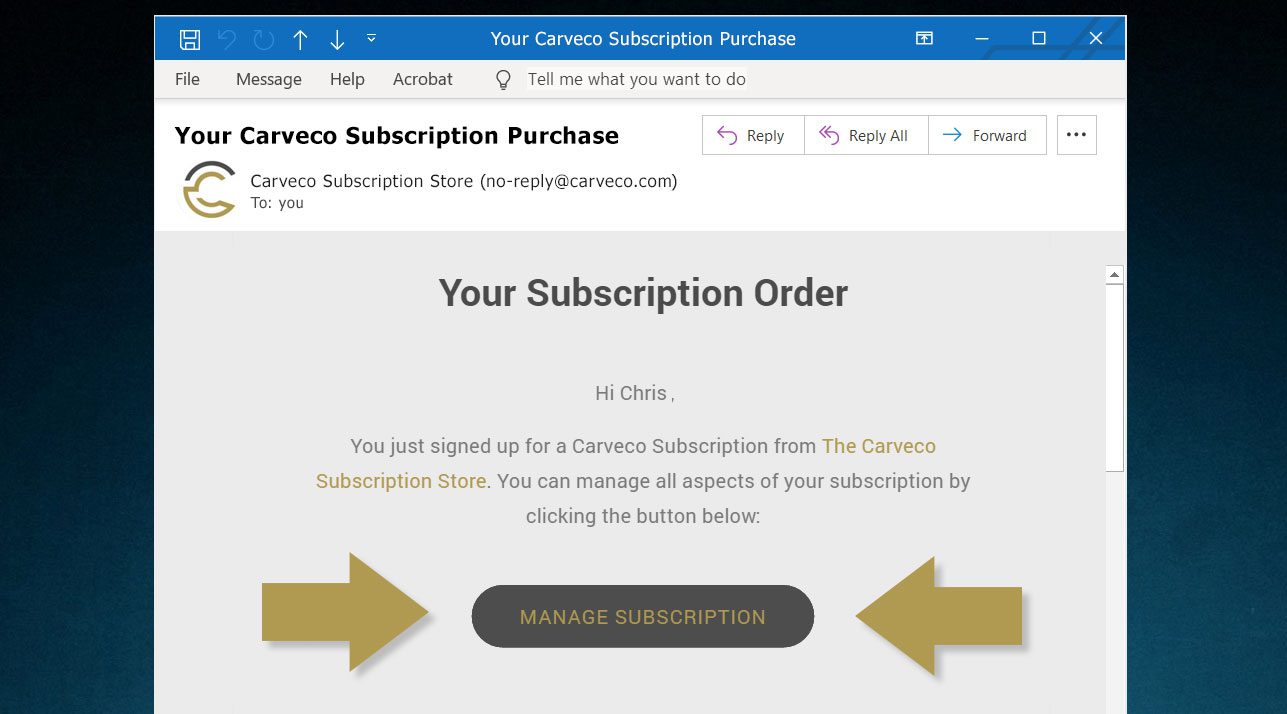
This email contains a ‘Manage Subscription‘ button (see image) which is your unique link to your own dedicated customer portal. From there you can view and amend all aspects of your Carveco Subscription. These include:
- Your Subscriptions
- Billing Information
- Purchase History
Haven’t received this email?
Please raise a ticket with our support team via the Carveco Help Centre.
2. Via Your Subscription Store Account
(Existing Subscription Store account required)
If, at the end of the checkout process, you registered for a Subscription Store account – you can access your subscription portal directly on the Carveco Subscription Store using the steps below.
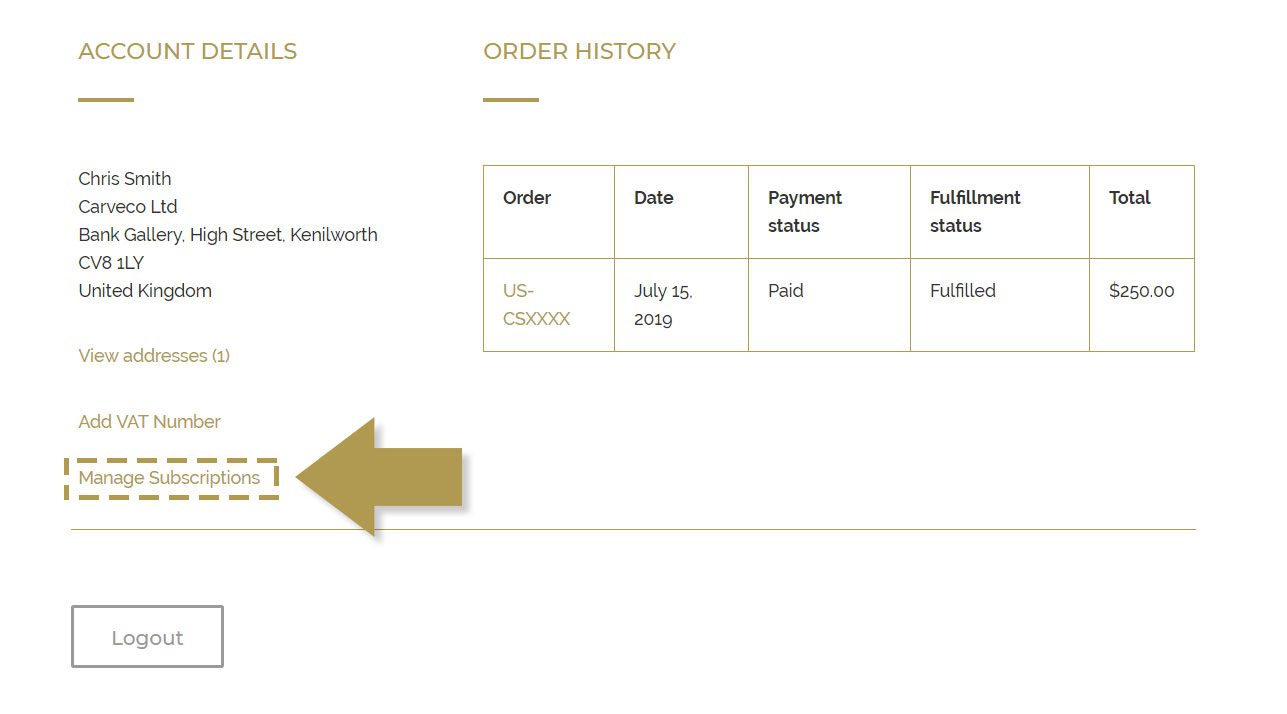
- Log into your account on the Carveco Subscription Store
- Click on the ‘Manage Subscriptions‘ link (see image)
Can’t Find the ‘Manage my subscription’ link?
You can request a new access link to your dedicated subscription portal by clicking the button below.
Please ensure you enter the email address that you used when purchasing your Carveco subscription.
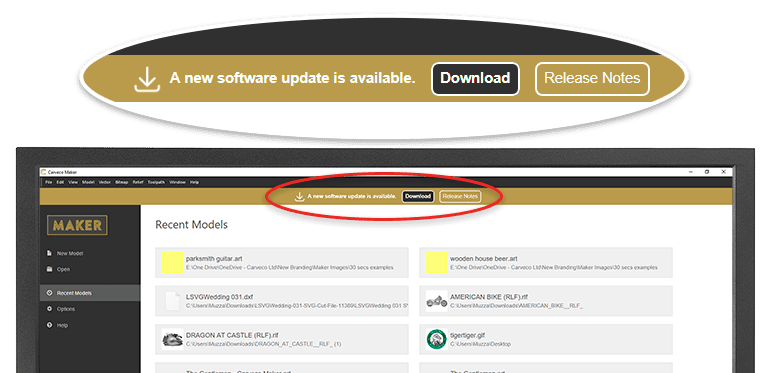
From Carveco 1.16 onwards (all products) we added the ability for the software to notify users of any updates that become available, from within the software itself. Please click the link from the start page of your software to download any new releases that are available.
For customers updating from versions before 1.16; the update is also available to download via sendowl.com (our software delivery service provider) from your dedicated download portal.
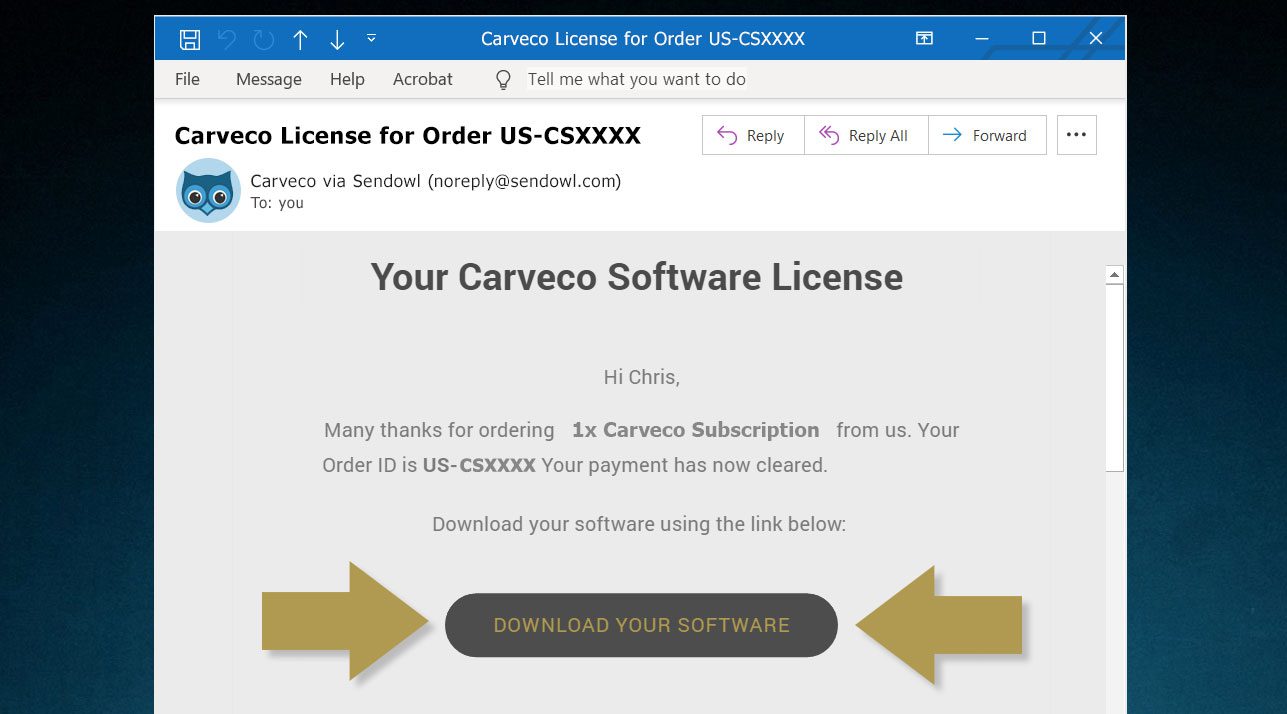
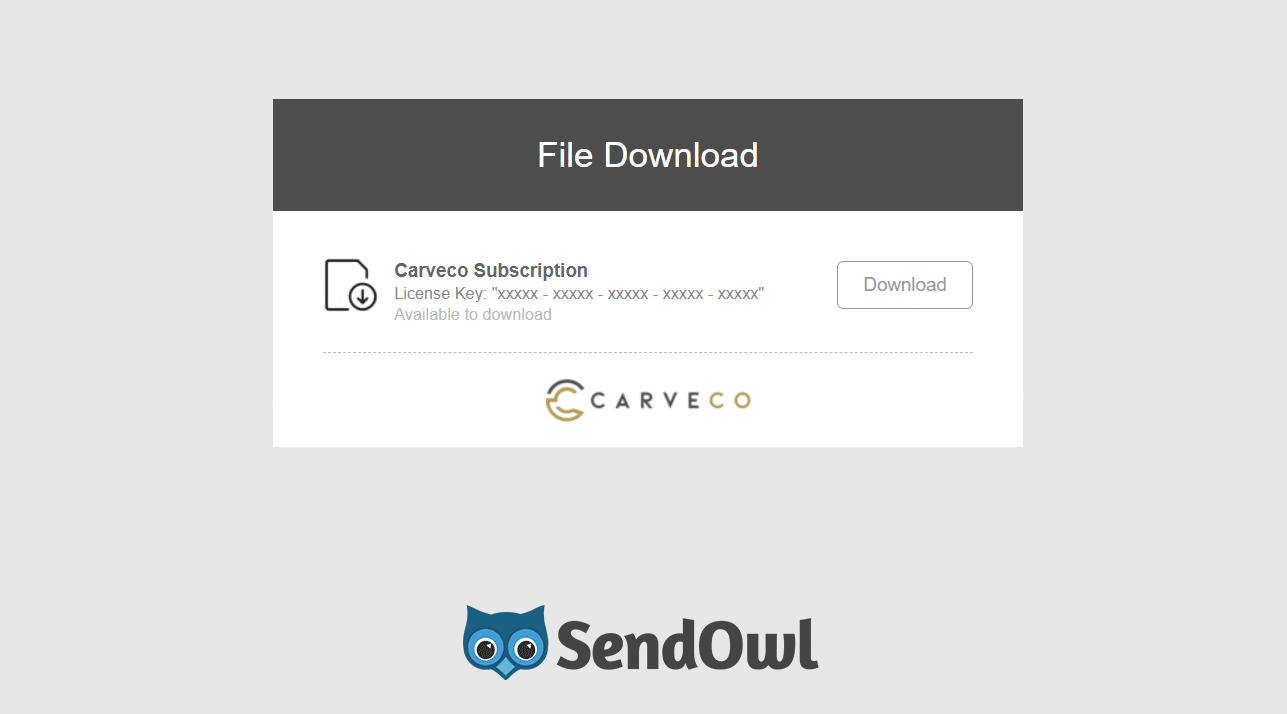
Please use the link within an email to access your personal download page (example shown below). Any previous Carveco emails that contain a link to your personal SendOwl download page (example shown below) – for example a previous update notification, or your original software download email – will automatically direct you to the latest version available.
Subscribers are always entitled to the latest updates we release.
You DO NOT have to install each update in order. You can update from any previous version of Carveco to the latest version available to you.
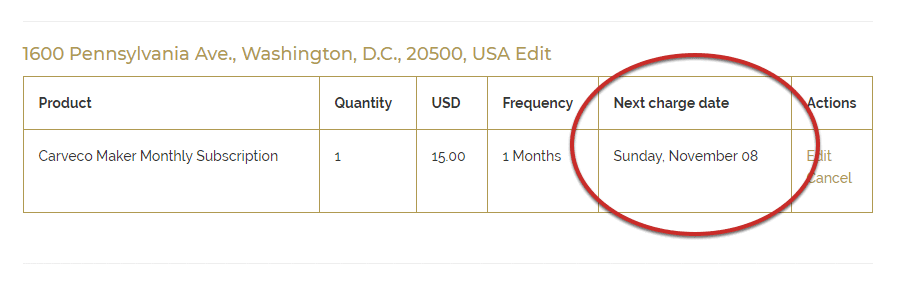
In order to view the date of an upcoming charge for your subscription, you will first need to log in to your portal as outlined in the ‘How Do I Manage My Subscription‘ FAQ post.
The ‘Next Charge Date‘ column will show you the date of the next scheduled charge for your subscription.
You can transfer a license allocation from one PC to another by Deactivating the license you no longer require. Please follow the deactivation steps outlined in our FAQ post: How do I deactivate my software?
The main differences are how you pay, your entitlements to receive software updates, and AI functionality.
Carveco Subscription
- You pay monthly or yearly to access the software.
- Always includes the latest version while your subscription is active (plus all updates and enhancements released during your active subscription).
- Includes access to AI Tools and functionality.
Carveco Perpetual
- You own the version you purchase and can use it indefinitely.
- Includes 12-months of Maintenance as standard, which provides software updates, enhancements, and dedicated support during that first year.
- After the first year, you can choose to renew your Maintenance to keep receiving software updates/support, or continue using your software without Maintenance, remaining on the latest version available to you at the end of your Maintenance period.
- AI Tools and functionality are not included with Carveco Perpetual products, including during an active Maintenance period.
For more information on Maintenance, please visit our dedicated Maintenance page.

Have a question?
[contact-form-7 id=”375″ title=”Contact form”]
