




Try Carveco. Free for 30 days.
This isn’t a cut-down demo. Get unrestricted access to Carveco for 30 days and put it through its paces using the work that matters to you.
Design your own projects, create and simulate toolpaths, output them to your CNC and find out exactly how Carveco fits your workflow before you commit.
100 AI Credits Included
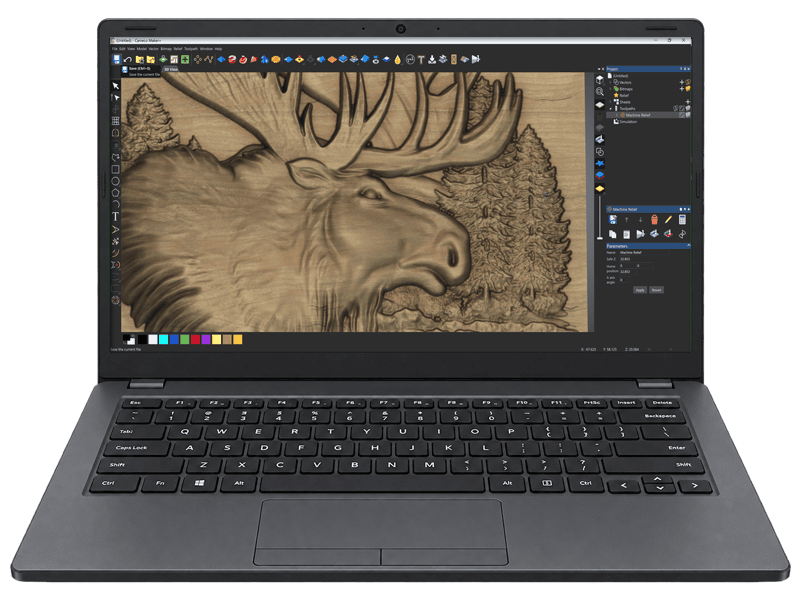
Your 30-day trial includes 100 AI credits, giving you plenty of scope to explore Carveco AI on your own projects. Turn photos, artwork, sketches or text prompts into detailed 3D reliefs ready to refine and machine.
Compatible with your CNC
Dedicated post-processor support for over 300 CNC machines, with flexible G-code output for even broader compatibility with your machine or controller.
Training & Support
Tutorials, guidance and expert support to help you get up and running and make the most of your trial.
Visit the Carveco Help Centre and training site for more information.
Choose Your Product. Start your Trial

Subscribe from:
$17.50
/month

Subscribe from:
$50
/month

Subscribe from:
$250
/month
Prices shown exclude applicable local taxes. 30-day free trial for new customers only and automatically charged at the end of the 30-day trial period unless cancelled. Subscriptions auto-renew until cancelled.
All Carveco products are designed for Microsoft Windows:

Free Trial FAQ
Yes. No watermarks, no disabled saving, no locked features and no limit on what you design or cut. You can create projects, generate and simulate toolpaths and output them to your machine exactly as a paying customer would.
Whichever fits your work — Maker, Maker Plus or Pro. If you’re not sure, most people start with Maker and move up if they need more and Carveco projects work between all products if you choose to upgrade over time.
You can compare the features of all Carveco products on our comparison page.
Yes. We take payment details at signup so your account continues without interruption if you decide to carry on. Nothing is charged during the 30 days and you’re free to cancel at any point before the end of your trial to to avoid any charge.
Your trial converts automatically to a paid subscription and your first payment is taken. We email you 7 days beforehand with the exact date and amount, so it won’t catch you out. If you want to continue, you don’t need to do anything.
Any time before your trial ends, from your product details page in your Carveco Account. No cost, no reason needed. If you’d rather we did it for you, or just need a little help – please contact us through the Carveco Help Centre.
Almost certainly. There’s dedicated post-processor support for over 300 machines, plus flexible G-code output for broader compatibility. You can see a list of our directly supported machines here.
Yes — and we give you 100 AI credits as part of your trial, whichever product you choose. That’s around 16 reliefs generated from text, or 20 from your own images. Following this, your subscription includes a regular allocation of AI credits as standard.
For example, a Carveco Maker subscription includes 10 credits a month or 120 credits per year.
It stays yours. We don’t delete anything when a trial ends — your saved projects remain on your computer exactly as you left them.
Carveco projects save as .art files, which hold everything that makes up the project: models, text, artwork and toolpaths. You’ll need a Carveco product to open them again, so if you subscribe later your work is there waiting for you.
Anything you’ve exported along the way — toolpath files for your machine, or models exported to other formats — stays usable in whatever software can open or run them, with or without Carveco.
